How to use NXP tagInfo
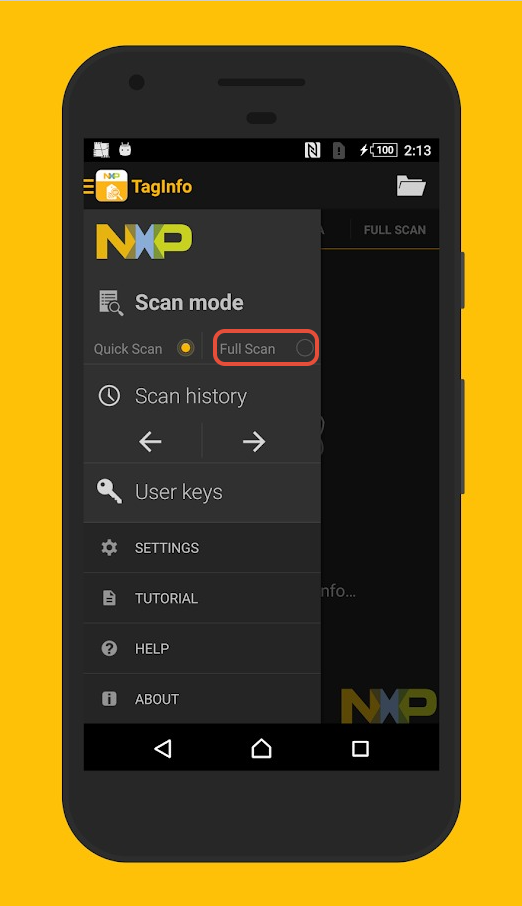
The application has a quick and full-scan mode. We recommend using the full-scan mode so be sure to switch it within the settings as shown below.
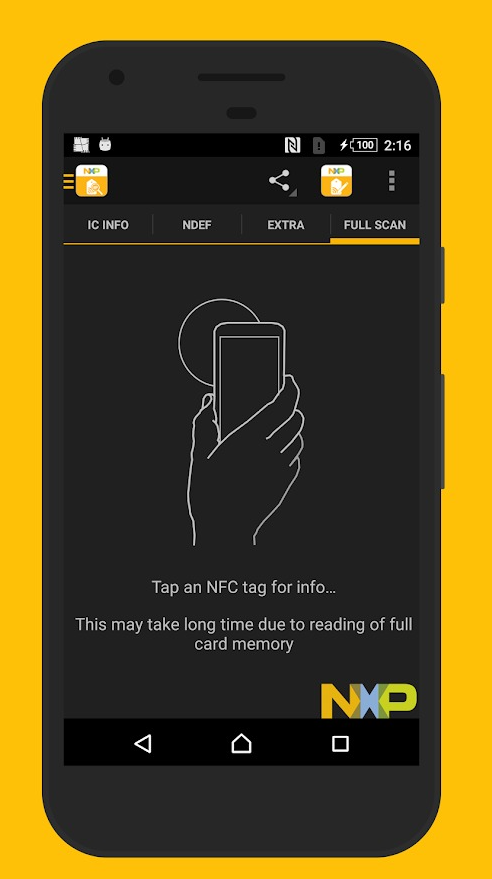
 Once Full-scan is enabled, you’ll be asked to tap the tag on your phones NFC reader.
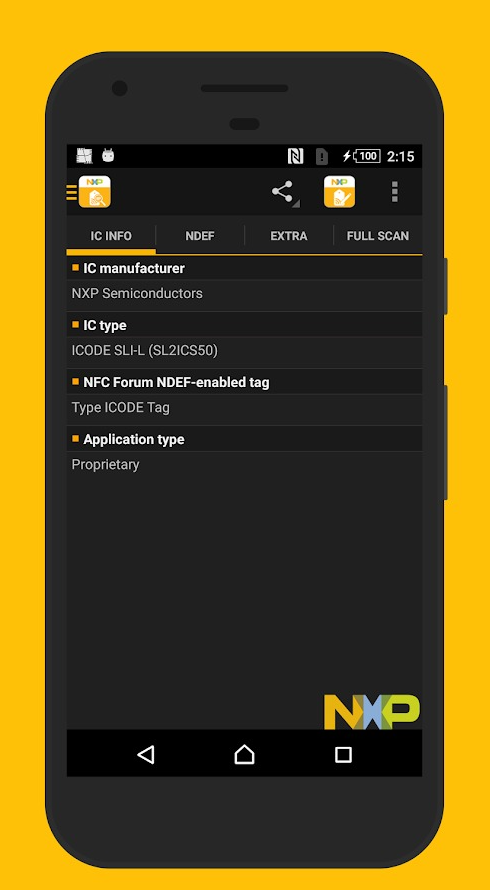
 You should now ne able to see the Tag Type (IC Type) and manufacturer (IC Manufacturer).
 Back on the “Full Scan” Tab, click the share button to send the read as a text file.
The application has a quick and full-scan mode. We recommend using the full-scan mode so be sure to switch it within the settings as shown below.
Once Full-scan is enabled, you’ll be asked to tap the tag on your phones NFC reader.You should now ne able to see the Tag Type (IC Type) and manufacturer (IC Manufacturer).Back on the “Full Scan” Tab, click the share button to send the read as a text file. 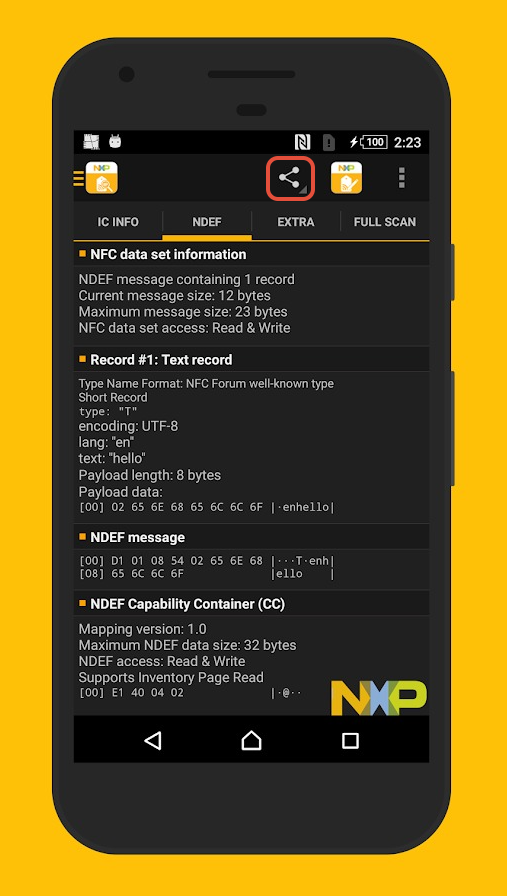
Was this article helpful?
That’s Great!
Thank you for your feedback
Sorry! We couldn't be helpful
Thank you for your feedback
Feedback sent
We appreciate your effort and will try to fix the article